BIDS Manager
Raw-to-BIDS without custom scripts.
BIDS Manager turns raw MRI, PET, EEG, MEG and the physiological recordings embedded in MRI DICOM files into a validated BIDS dataset. Its intuitive graphical user interface supports interactive metadata inspection, curation, conversion, and validation in one application.
Make raw-to-BIDS less painful.
Less fragmented, less error-prone, more transparent. One tool for the whole BIDS workflow, available as a GUI or a CLI. It uses the trusted converters to write the files, and does the rest of the job they leave undone.
One workflow for MRI, PET, EEG, MEG and physio.
BIDS Manager wires the trusted converters, dcm2niix, mne-bids, pet2bids and bidsphysio, into one pipeline, and extends each of them with the work they were never designed to cover. No tool-switching, no per-modality commands, no separate installs.
It is more than a wrapper around them. Converting the files is only part of the job. On its own, dcm2niix cannot know which images a fieldmap was meant to correct, and mne-bids cannot know which electrode was used as the reference. BIDS Manager works the first out from what it read during the scan, asks you once for the second, writes both into the files, and then checks the result.
Each modality also gets what only it needs. MRI and PET images can have the face removed as they are written, with niimath and the brainchop brain-extraction network, so the identifiable image never enters the dataset. EEG and MEG get the reference, ground, montage and event labels that no recording file carries. PET gets the tracer, the dose and the frame timing, read from the lab's own spreadsheet when the scanner did not record them.
Scans data and metadata inside every file.
Builds a complete picture of each acquisition, study, and dataset by reading DICOM headers, ECAT headers, EEG / MEG file metadata, and sidecars. Most converters only read filenames. BIDS Manager looks inside.
Curate before you convert.
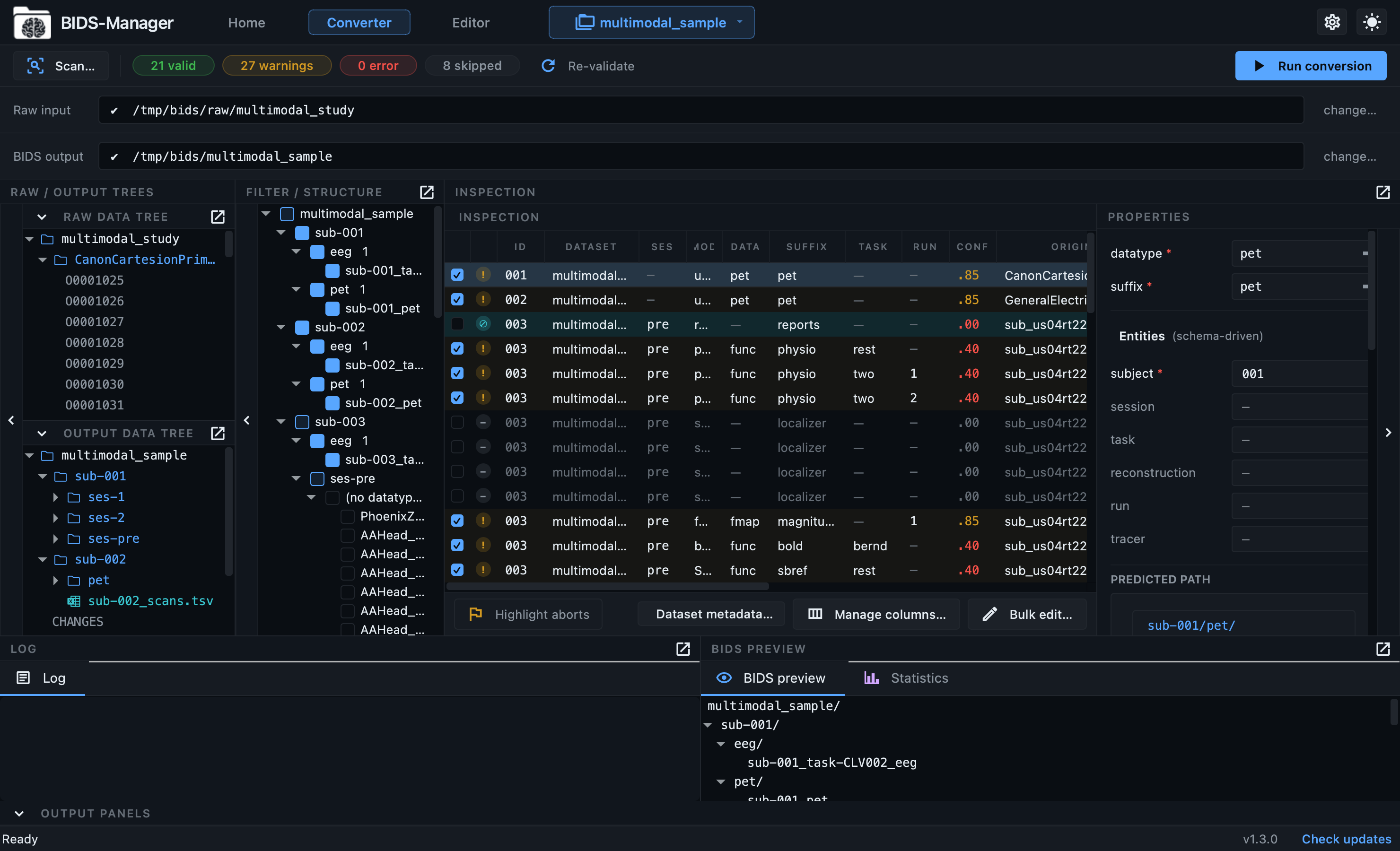
Review every acquisition in an interactive table. Filter out localizers, calibrations, and failed runs. Bulk-edit entities, set per-row properties, and preview the exact BIDS tree before anything is written to disk.
No file is ever overwritten by another.
When two recordings would be given the same BIDS filename, one would replace the other and nothing would report it. BIDS Manager works out every filename first, numbers genuine repeats, and stops the conversion if any name is still duplicated.
Project-first and resumable.
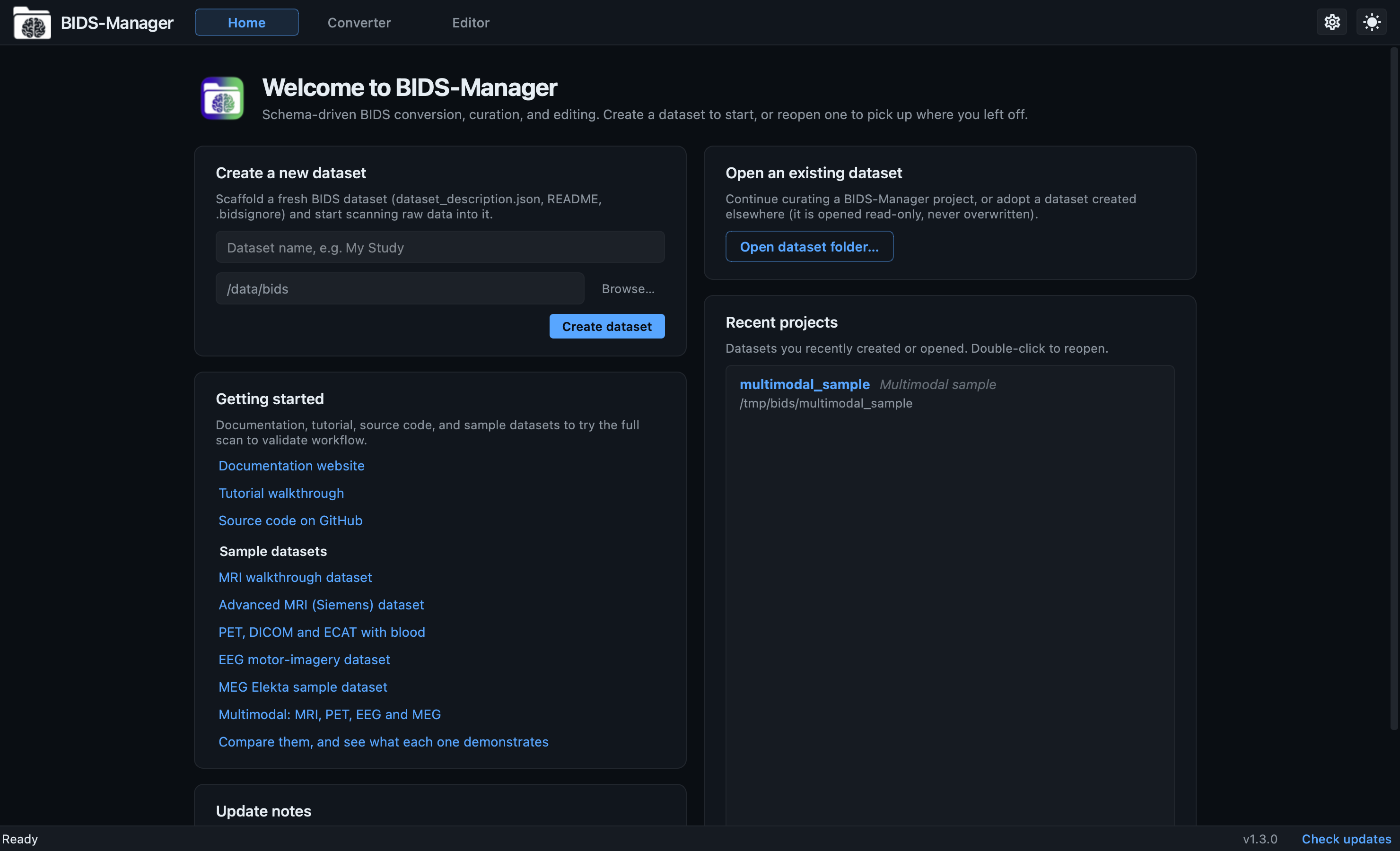
Work is saved into a dataset project. Close the app and pick up where you left off; re-scan without losing edits; re-run a conversion and have new sessions merge in safely. Every scan is versioned, every edit is undoable.
Automatic metadata enrichment.
After conversion, BIDS Manager fills in the metadata fields BIDS requires, using what it read during the scan and the standard's own list of what each kind of file needs. For EEG and MEG it also fills reference, ground, filters, device, and event labels; for PET the tracer, dose and reconstruction details, with per-recording overrides. Every decision is logged, so you can review or override it.
Asks once for what no file contains.
Some things BIDS requires are in no file anywhere: the reference electrode of an EEG recording, the dose injected for a PET scan, the authors of the dataset. A form asks each question once for a whole study, with the standard's own wording beside it, and any answer can be changed for a single recording.
PET, including the parts usually left out.
Both formats PET scanners produce: DICOM, and the ECAT files that
Siemens HRRT and older CTI systems write. Blood curves attach to
the scan they belong to and become proper
_blood.tsv files. A PET/CT study converts its PET
half and tells you why the CT was left out; a PET/MR study
converts both halves at once.
Inspect everything in-app.
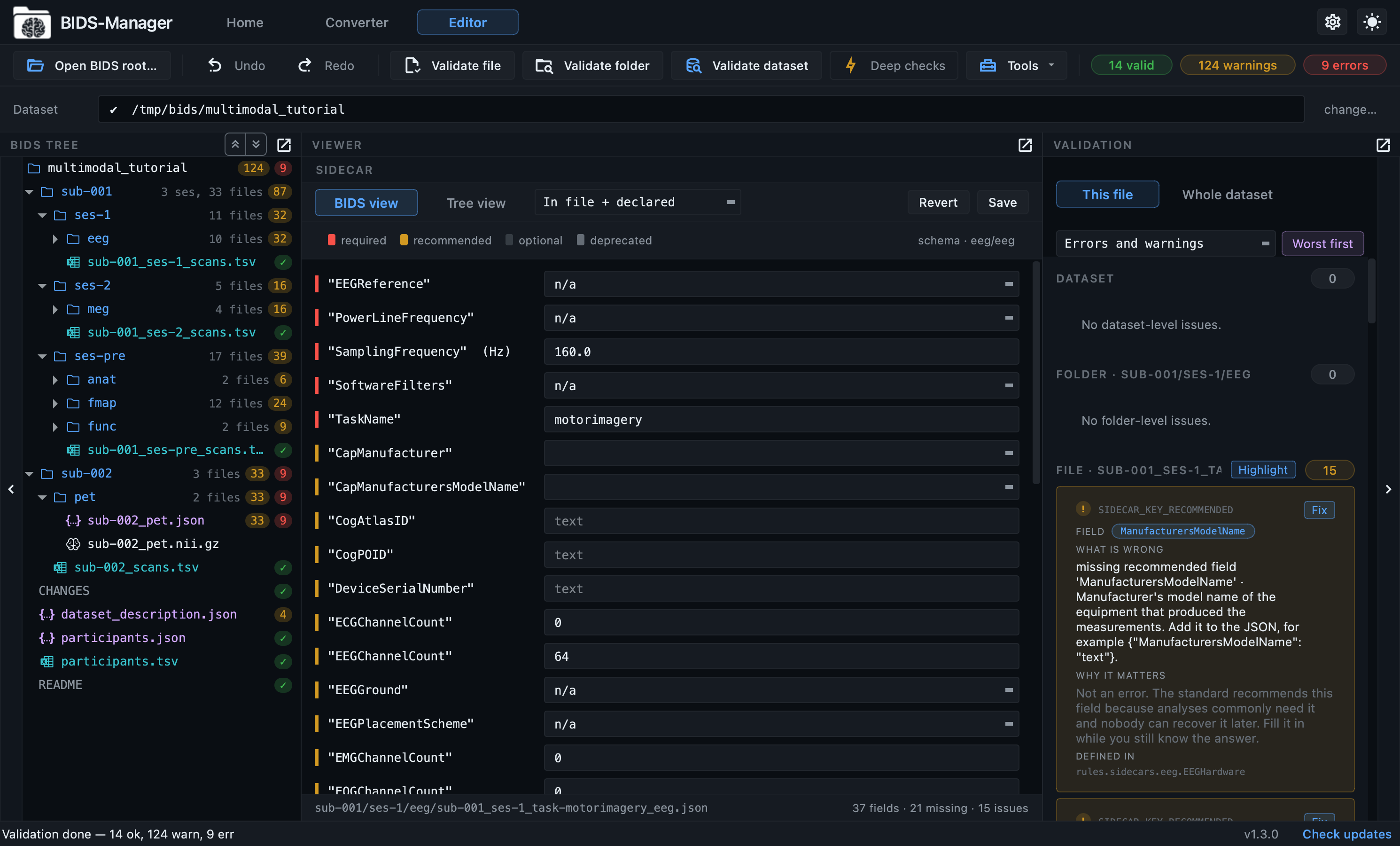
The Editor opens the converted dataset for review: metadata forms listing every field the standard defines for that kind of file, editable TSV tables, a NIfTI Multi-Planar view and GPU 3-D renderer, and an interactive MEG / EEG signal viewer with an in-app PSD and a BIDS-native events overlay. No external tools.
Change a dataset's shape without breaking it.
Rename a label, add or remove an entity, put recordings into a
session or take them out, delete a run or a whole subject. Moving
the files is the easy half. Every reference that named them is
repaired in the same step: the scans tables, the
IntendedFor entries, the participants row, the
folders left empty. Nothing else reports those as broken, and
every change can be undone.
Validation is built in, and shows its reasoning.
Check the dataset without installing anything else. Every finding says what is wrong, how to fix it, and which rule of the standard it comes from, so you can look that rule up rather than take the tool's word for it. A button takes you to the field that needs the answer.
It follows the standard itself, not a copy of it.
BIDS publishes its rules in a machine-readable form, the BIDS schema: which folders and filenames are allowed, and which metadata fields belong to each kind of recording. BIDS Manager reads that directly rather than keeping its own copy of the rules, so the names it produces, the questions it asks you, and the checks it runs always agree with each other and stay current with the standard.
Install once. Everything is included.
Bootstrap installers for macOS, Linux and Windows set up a self-contained Python environment and register a normal application launcher, so BIDS Manager opens from your applications folder like any other program.
There is nothing else to install. Every engine comes with
it: dcm2niix for MRI and PET DICOM,
mne-bids for EEG and MEG, pet2bids for
PET ECAT files and blood curves, bidsphysio for the
physiological recordings stored inside MRI DICOM, and
niimath with brainchop for defacing and
skull stripping. You do not need to compile dcm2niix, install MNE,
or set up a Python environment yourself. If you already work in
Python, pip install bids-manager gives you the same
thing.